Version 0.5.0 is out, and the big news is guest mode: you can now try Moonlapse without making an account. Along with it come the browser version, a way to report players to the moderators, and a handful of smaller fixes. Get it from the download page, or play it in your browser, which is always up to date.
Play as a guest
Until now, the first thing Moonlapse asked of you was an account: a browser, a sign-up form, an email address. That’s a lot to ask of someone who just wants to see what the game is like. So now there’s a second way in.
Choose Play as guest on the title screen, pick a name, and you’re in the world. No account, no email address, nothing to sign.
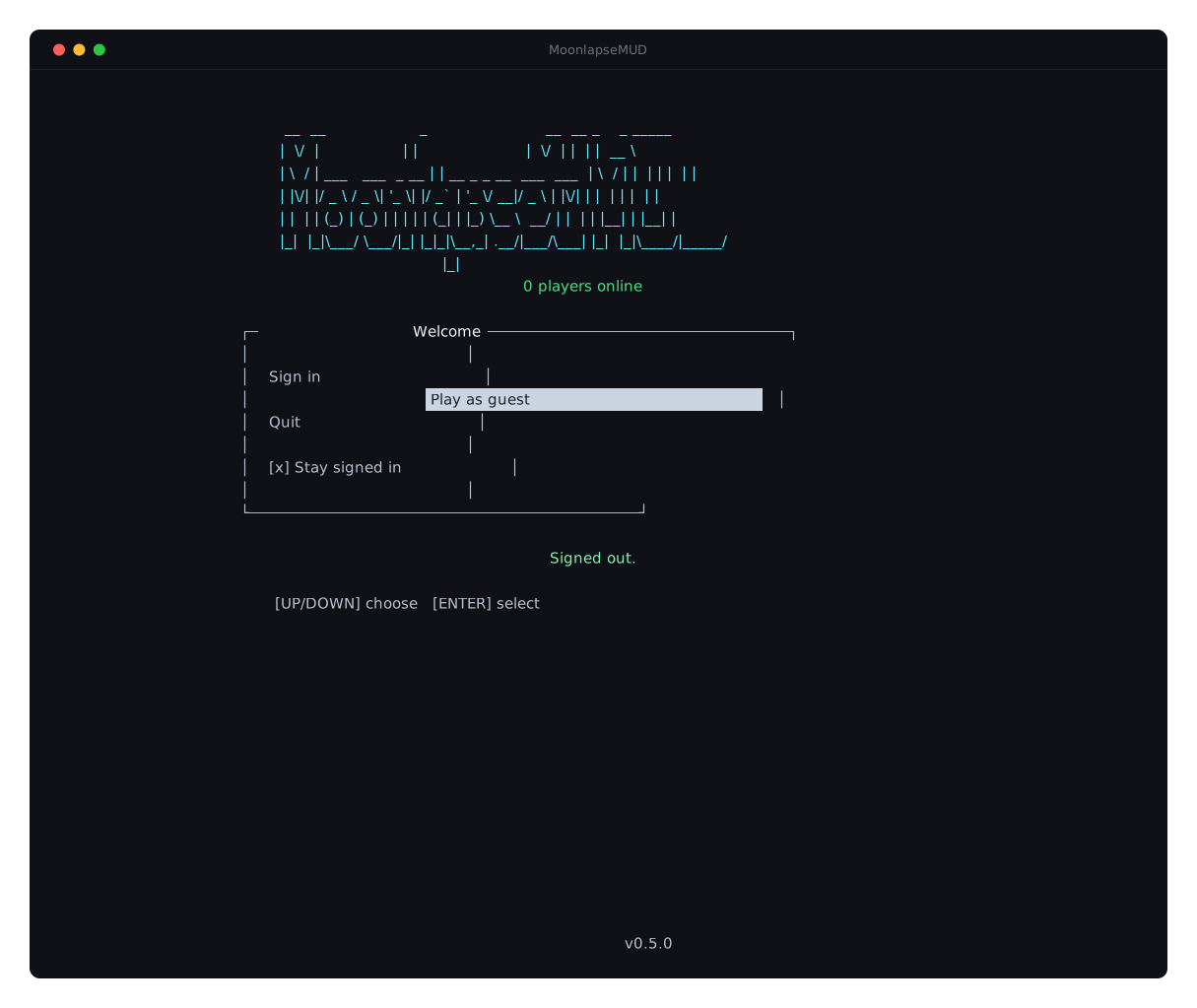
Your guest is called Guest_ and the name you chose, so Bob plays as Guest_Bob. Next time you start the game, Continue as Guest_Bob takes you straight back to it.
A guest can do almost everything: quest, fight monsters, train skills, use the bank and shops, join a party and chat. A few things are kept for registered players:
- No trading with other players, and no fighting them.
- Letters work, but no items by mail between you and other players.
- Skills stop at level 10, and XP past that is lost, not saved for later.
- One character, and chat is limited a little more than everyone else’s.
Keeping your guest
When you’re ready to stay, there’s no need to start over. Select your guest on the character screen and press R. Sign in, or make an account, in your browser as usual, and choose the character’s new name. The name you first picked is offered first; if someone else has it by then, you’ll be asked to pick another.
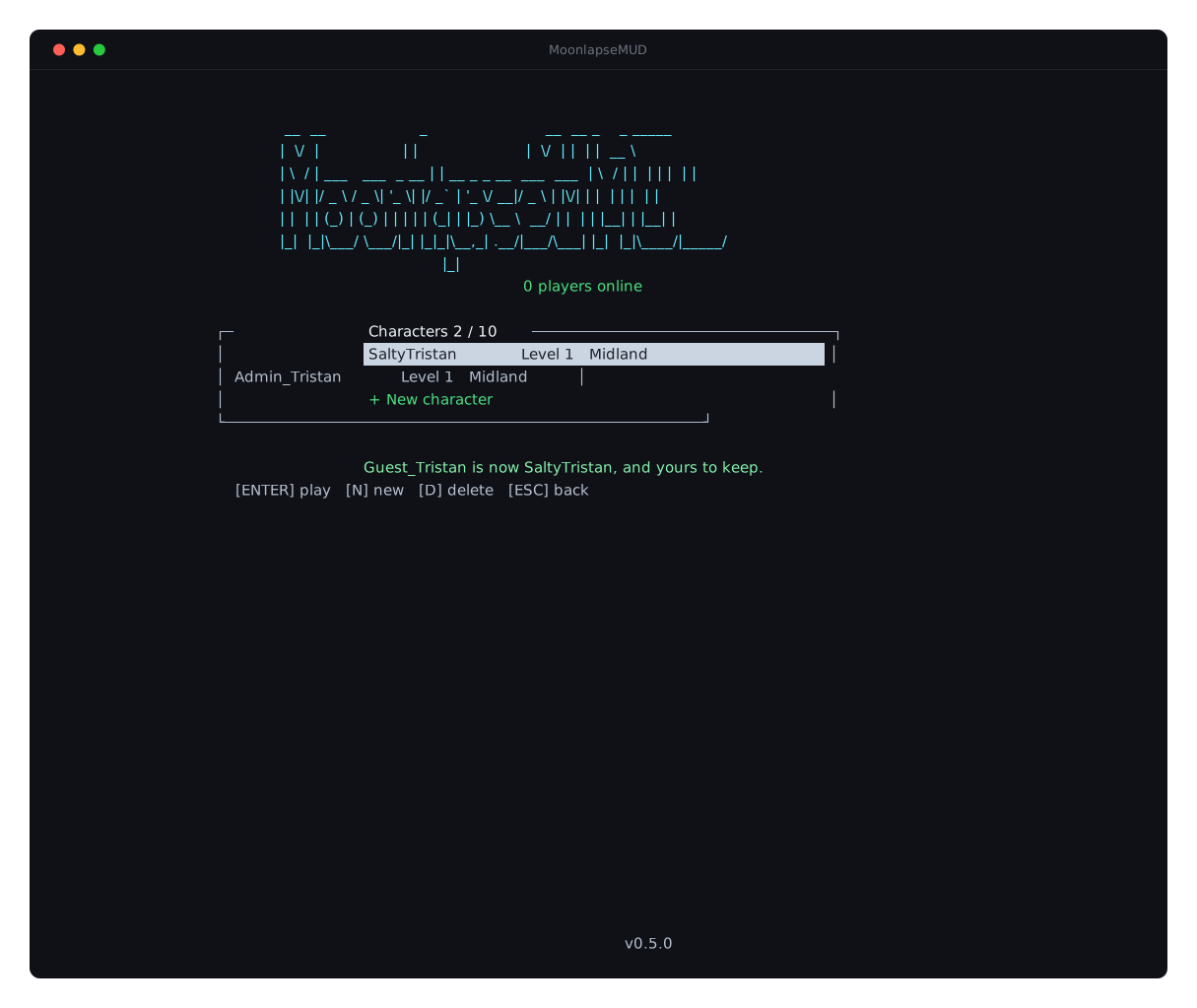
Guest_Bob keeps everything it had, under its new nameThe character moves to your account with everything it had: its items, its bank, its skills and its quests. The guest limits are gone. For a week afterwards, the old name still finds it, so friends who whisper Guest_Bob still reach you, and anyone who looks you over sees who you used to be.
If you don’t come back
A guest nobody plays for 7 days is deleted, with everything it had, and its name is free again. Playing it, even briefly, starts the 7 days again.
Your way back to your guest is kept on your computer, in guest.toml next to the game, or in your browser for the browser version. Delete that file, or clear your browser’s data, and the guest is lost for good: we can’t get it back for you, because we never knew who you were. When you update the game, copy guest.toml into the new folder (the download page says how).
The guide has all of this, and the privacy policy says exactly what we keep about a guest. In short: almost nothing, and not for long.
Play in your browser
Moonlapse now runs in your browser at play.moonlapse.net. It’s the same client as the download, with the same keys, in the same world, alongside everyone else, so nothing to install, and guest mode works there too.
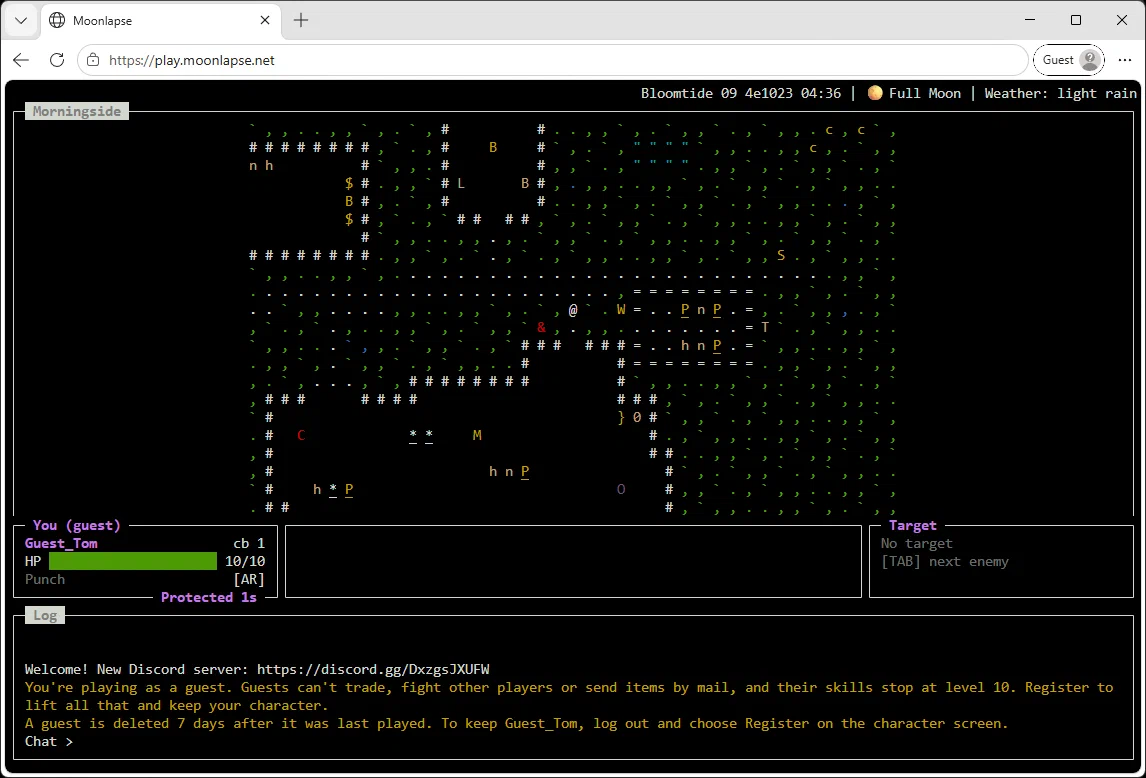
It needs a desktop or laptop with a keyboard. Signing in works the same way, and Stay signed in remembers you in that browser. It’s updated whenever the game is, so it’s always the latest version.
Keeping the game friendly
Guest mode means anyone can walk in, so this release also gives players and moderators the tools for when someone spoils things.
- Report a player with
/report <name> <reason>. The moderators get your reason along with what that player said to you, or near you, in the last few minutes, so you don’t need to take screenshots. The player isn’t told they’ve been reported. - Moderators can mute, ban and remove players. A mute stops someone chatting and sending letters; a ban stops them playing; either can be for a while or for good, and either covers every character on the account. A muted or banned player is told, and for how long.
- Chat is now recorded, and kept for 14 days, so reports can be checked. The privacy policy has the details.
- Chat has a speed limit. You can say 5 lines in a row, then one every 2 seconds, and the same line again after 10 seconds. If you go faster, the game tells you how long to wait, and nothing is sent. Guests get a stricter limit.
- Some names are reserved. New names can’t start with
Guest_,Admin_,Mod_,Staff_or the like, or beServerorSystem, so nobody can pass themselves off as staff. Existing names aren’t affected.
If you see a problem, report it in the game, or tell us on Discord.
Fixes and small changes
- The in-game date and time are kept across server restarts. The calendar used to jump back to the same day every time the server restarted. Now the world’s clock carries on where it left off.
- Ser Perth’s letters arrive in the right order. If you started The Duke’s Diaries or Trouble at the Crossing by talking to Ser Perth before his letter about it reached you, the letter still turned up afterwards, asking you to do what you’d already started. Now it never arrives.
Updating
Download 0.5.0 from the download page and replace your old folder, copying across guest.toml if you’ve been playing as a guest. Version 0.4.0 still connects and plays, but it doesn’t have guest mode, so we recommend updating. The browser version is already up to date.
Thanks for playing, and if you have friends who’ve been curious, now there’s nothing stopping them. Come and say hello on Discord.